 Linkano
One-keystroke capture
Save the active Finder file, browser tab, Mail message, Notes note, Preview PDF page, Office document, Obsidian note, iA Writer document, Everlog or Day One entry, and more — without leaving your flow.
macOS menu bar app
Capture files, web pages, mail, notes, PDF pages, and calendar items in one
keystroke. Connect them with relations, search instantly, and open them again with
stable linkano:// links that survive renames and moves.
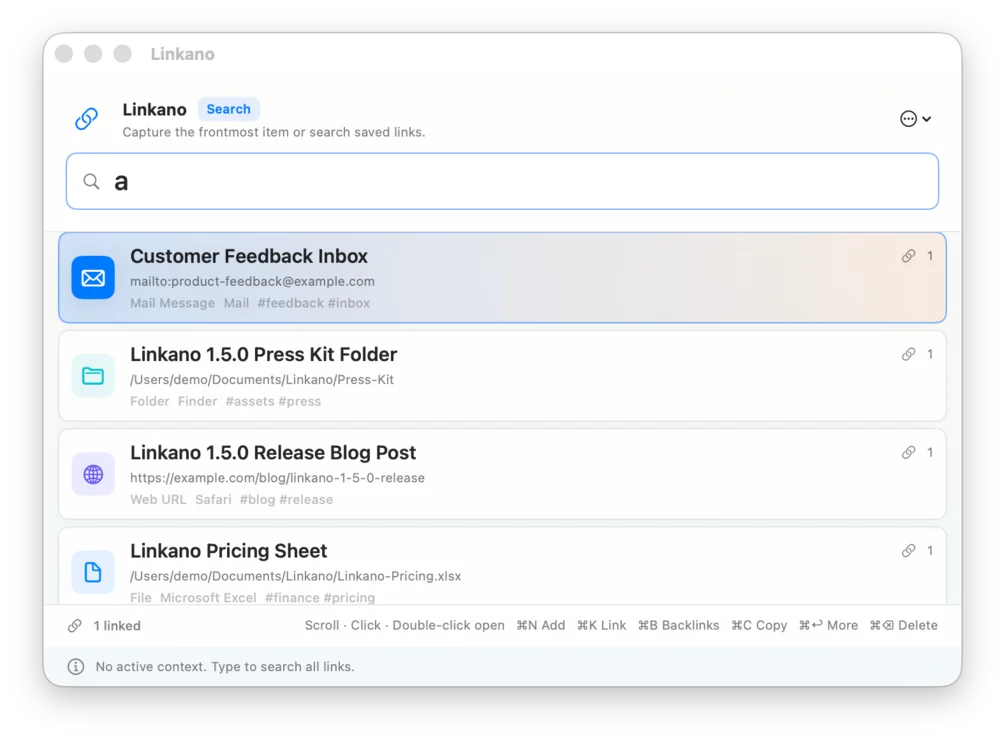
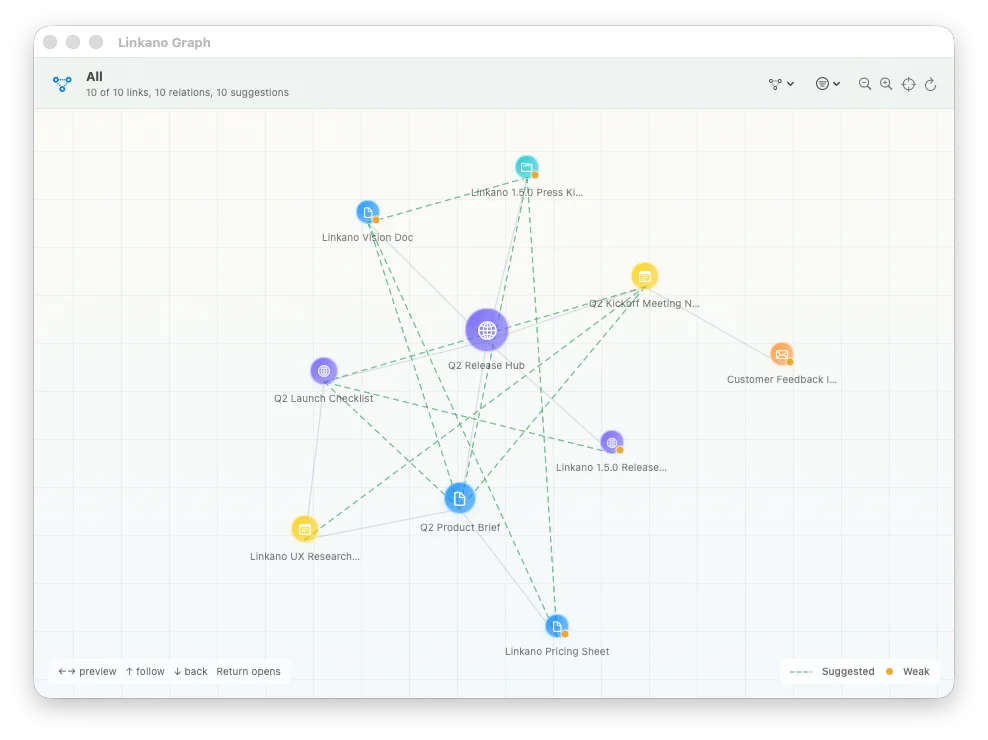
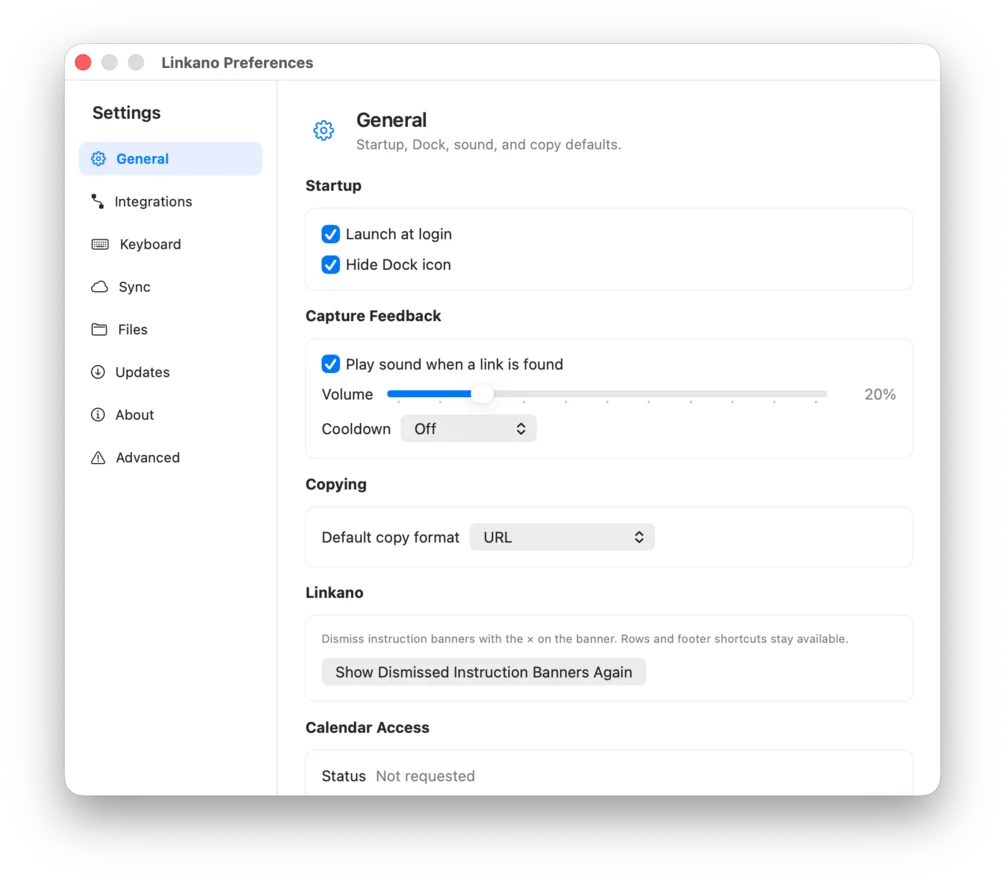
Search and capture from the menu bar, explore relations in the graph, and tune copy behaviour and sync in settings — all local on your Mac.
Build context fast with one simple flow:
Open the panel with ⌃⌘L and press Return to save what you are working on.
Type to search your library, then highlight the item you want to connect.
Press ⌘K, choose the other item, and confirm with Return.
Linkano is not another notes silo. It sits in your menu bar, watches what you are working on, and gives every important item a stable handle you can paste anywhere.
Save the active Finder file, browser tab, Mail message, Notes note, Preview PDF page, Office document, Obsidian note, iA Writer document, Everlog or Day One entry, and more — without leaving your flow.
Files keep working after renames and moves thanks to bookmarks, size hints, and optional content fingerprints — not fragile paths alone.
Bidirectional relations, scopes, node and edge filters (relations vs tag suggestions), PDF export for selections, and dashed hints from shared tags, folders, and domains.
Tag items when you save them, edit per link from the panel or graph, and rename, merge, or clean up tags globally in Settings → Tags.
Search, open, copy, link, delete, and navigate backlinks entirely from the keyboard. Trackpad scroll and double-click work too.
Plain URL, Markdown, or stable linkano://open/<uuid> — PDF titles
include page numbers when relevant.
SQLite library on your Mac. No account, no ads, no in-app analytics. Optional iCloud sync uploads metadata only — never full file contents.
Active context capture and reopen behaviour for Finder, Preview, Safari and Chromium browsers, Mail, Notes, iWork, Microsoft Office, LibreOffice, Calendar, Contacts, Obsidian, iA Writer, Everlog, Day One, Apple Books, Photos, DEVONthink, CodeRunner, and more. Full integration list.
Press and community mentions of Linkano.
Install Linkano, set your shortcuts, capture your first items, and paste durable links into your notes, tasks, and docs. Full documentation is in the user manual.